Interactive Platform Demo

Experience the Triton Portal Before You Become a Customer.

Explore the same workflows customers use to manage DIDs, SIP trunks, E911, eFaxify, number ports, reports and account activity—without creating an account or touching production systems.

No signup required Fictional data Guided workflows
Opens in a new tab • No production access
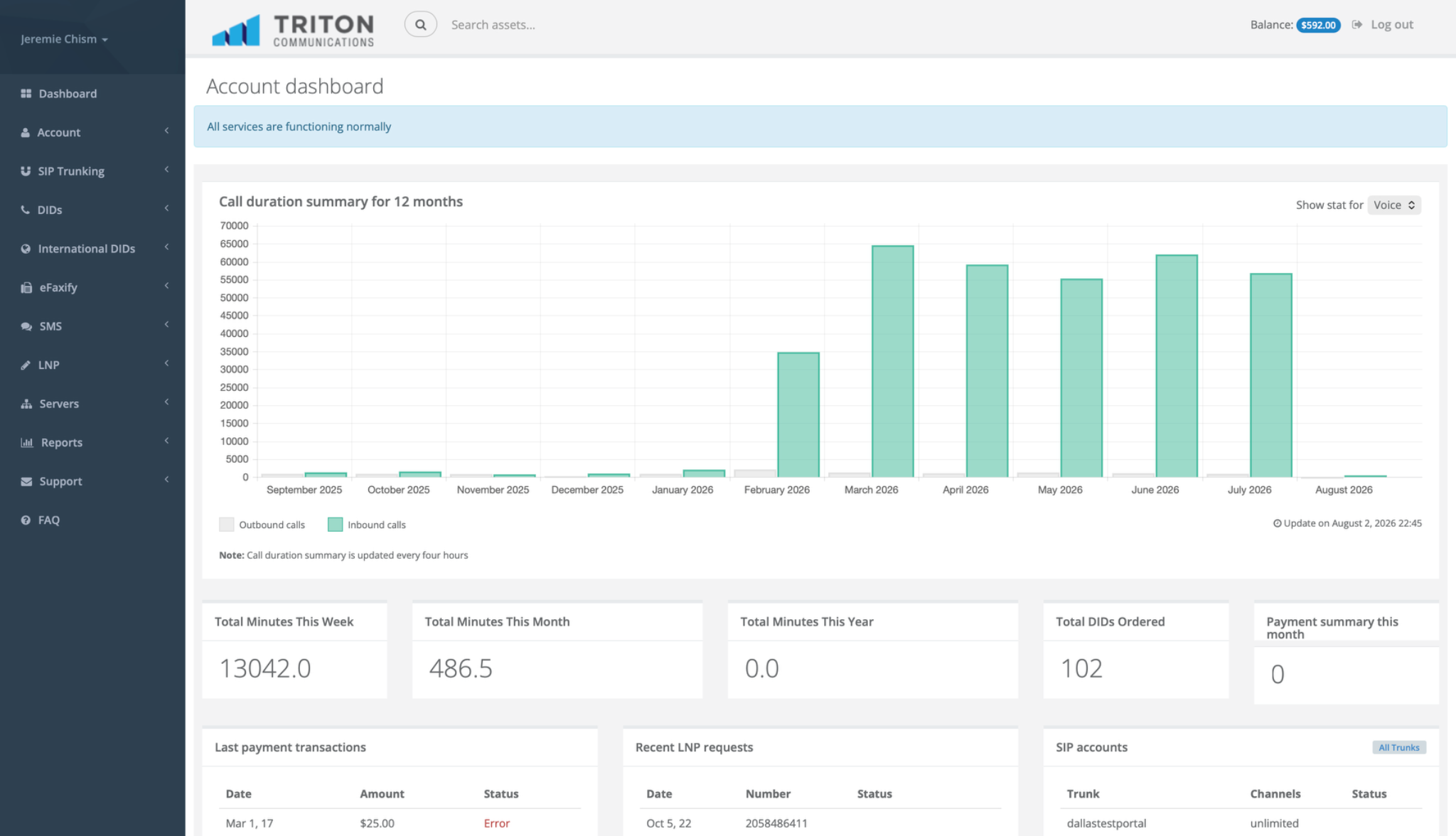
customer.tritontelephone.com DEMO MODE
Triton customer portal dashboard
DID ProvisionedJust now
SIP Trunk OnlineDallas region
Order DIDsSearch and reserve inventory
Create SIP TrunksIP or registration authentication
Configure E911Validate service locations
Provision Fax ATAAudioCodes MP-202D
Review ReportsCDRs, usage and APIs
See the Platform in Action

A Hands-On Product Experience, Not a Screenshot Gallery.

The demo responds to your choices, validates fictional information and simulates provisioning so prospects can understand how Triton works before a live sales call.

01 DID Ordering

Search, Select and Provision Numbers.

Search fictional inventory by area code, choose one or more numbers and watch them appear in the demo account with simulated provisioning.

  • Local and toll-free search
  • Multi-number selection
  • Instant demo provisioning
  • Routing and feature assignment
Try DID Ordering →
Order Local or Toll-Free DIDsInventory search
Number TypeLocal
Search ByArea Code
Area Code318
318-555-0101318-555-0102318-555-0103 318-555-0104318-555-0105318-555-0106
2 numbers selected
Create SIP TrunkNew service
Security policy ready Alternate route available
02 SIP Trunking

Build a Trunk and See the Configuration Flow.

Choose IP authentication or SIP registration, select a switching region, configure channel limits and define a failover destination.

  • IP or registration authentication
  • Dallas, Chicago or Los Angeles
  • Smart HA routing options
  • Fraud and security settings
Build a SIP Trunk →
03 E911 & Fax ATA

Configure the Details That Matter.

Validate an emergency-service location, assign it to a DID and simulate provisioning a managed AudioCodes MP-202D for a traditional fax machine.

  • Address validation workflow
  • DID-to-location assignment
  • AudioCodes MP-202D provisioning
  • Fax optimization profile
Explore E911 & Fax ATA →
E911 Location300 Demo Street
Address validatedJurisdiction confirmedProvisioning DID
Fax ATA DeviceAudioCodes MP-202D
MAC validatedSIP profile createdAwaiting device
Guided Exploration

Choose a Task and Learn by Doing.

The portal demo includes global search, a guided-tour control and a built-in Triton AI Portal Specialist that can take visitors directly to the right workflow.

Order and route a DID Create a SIP trunk Assign E911 Provision a fax ATA Submit an LNP request Review CDRs and API examples
Start the Guided Demo →
Triton AI Portal Specialist
Online
How do I order a DID and add E911?
I’ll guide you through DID inventory, reservation, routing and E911 validation.
1Search DID inventoryComplete
2Select and reserve numberCurrent
3Assign SIP destinationNext
4Validate E911 locationNext
Safe by Design

Fully Interactive. Completely Isolated.

The portal demo is a front-end simulation. It does not log into production, display customer records or provision real services.

0Production changes
0Real customer records
100%Hands-on exploration

Ready to Explore the Triton Platform?

Launch the interactive demo now or schedule a live platform review tailored to your organization.

Launch Interactive Demo → Schedule Live Demo